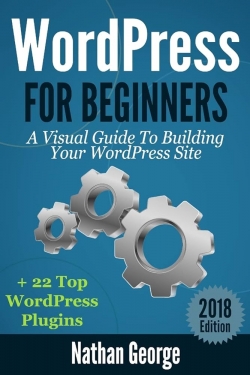
WordPress for beginners: a visual guide to building your WordPress site
Type
E-Book
Authors
Category
E-resources
[ Browse Items ]
Publication Year
2016
Publisher
CreateSpace Independent Publishing Platform , United States
Pages
118 p. : ill.
Subject
1. WordPress
Tags
Abstract
WordPress is a Content Management System (CMS) that makes it easy to
create a website with any kind of functionality you want easily. Before
applications like WordPress were available, if you wanted to create a
website, you would need to have some web development skills or you
would need to hire a web developer to design it for you.
With the advent of tools like WordPress, it is now much easier for
someone without web development skills to create a fully functional
website within a few minutes.
WordPress is an open source application which started as a blog engine
but has blown into a fully functional CMS. By open source, it means
nobody owns it hence a group of people from all over the world are able to
work on it and continually improve it. For this reason, WordPress has
managed to remain free even though it is constantly being upgraded and
improved.
WordPress is referred to as a publishing platform because it is not just a
blogging tool. Many large online companies and agencies now use
WordPress to run their sites. For example, the New York Times, Wall Street
Journal, Forbes etc. all use WordPress as the tool for their publishing
platforms.
You can use WordPress to run sites with relatively static content or sites
with dynamic content organised in chronological order.
You can use WordPress for the following sites:
E-commerce stores
Corporate websites
Membership sites
Product websites
Regular blogs
Photoblogs
Video blogs
WordPress is a web application and hence needs to be installed on a web
server, which is usually a remote computer.
In this book, you will learn everything you need to enable you to create
and manage your WordPress sites even if you're an absolute beginner.
You will learn how to get your domain name; how to set up a hosting
account on the Internet; how to install WordPress using an automated
process from your web host; how to install WordPress manually so that you
get to see behind the scenes and know how to fix things when an automated
process goes wrong.
After reading this book, you will have all the knowledge you need to
create your WordPress website, install themes, plugins, create menus, and
create widgets.
Even if you already have experience with WordPress this book also
covers some advanced topics that you may find invaluable in maintaining
your WordPress site. For example, I cover how to manually backup your
WordPress contents folder and your MySQL database. This ensures you
have flexibility and not dependent on plugins that can sometimes be
unreliable.
create a website with any kind of functionality you want easily. Before
applications like WordPress were available, if you wanted to create a
website, you would need to have some web development skills or you
would need to hire a web developer to design it for you.
With the advent of tools like WordPress, it is now much easier for
someone without web development skills to create a fully functional
website within a few minutes.
WordPress is an open source application which started as a blog engine
but has blown into a fully functional CMS. By open source, it means
nobody owns it hence a group of people from all over the world are able to
work on it and continually improve it. For this reason, WordPress has
managed to remain free even though it is constantly being upgraded and
improved.
WordPress is referred to as a publishing platform because it is not just a
blogging tool. Many large online companies and agencies now use
WordPress to run their sites. For example, the New York Times, Wall Street
Journal, Forbes etc. all use WordPress as the tool for their publishing
platforms.
You can use WordPress to run sites with relatively static content or sites
with dynamic content organised in chronological order.
You can use WordPress for the following sites:
E-commerce stores
Corporate websites
Membership sites
Product websites
Regular blogs
Photoblogs
Video blogs
WordPress is a web application and hence needs to be installed on a web
server, which is usually a remote computer.
In this book, you will learn everything you need to enable you to create
and manage your WordPress sites even if you're an absolute beginner.
You will learn how to get your domain name; how to set up a hosting
account on the Internet; how to install WordPress using an automated
process from your web host; how to install WordPress manually so that you
get to see behind the scenes and know how to fix things when an automated
process goes wrong.
After reading this book, you will have all the knowledge you need to
create your WordPress website, install themes, plugins, create menus, and
create widgets.
Even if you already have experience with WordPress this book also
covers some advanced topics that you may find invaluable in maintaining
your WordPress site. For example, I cover how to manually backup your
WordPress contents folder and your MySQL database. This ensures you
have flexibility and not dependent on plugins that can sometimes be
unreliable.
Description
Other Titles By Author
Title
Copyright
Introduction
Chapter 1: Getting Started
1.1 Using WordPress.com
1.2 Choosing Your Domain Name
1.3 Registering Your Domain Name
1.4 Choosing A Web Host
1.5 Installing WordPress With An Auto Installer
1.6 How To Install WordPress Manually
Chapter 2: Creating Content
2.1 The WP Admin Panel
2.2 Creating and Editing Posts
2.3 Categories, Tags and Featured Images
2.4 Creating and Editing Pages
2.5 Adding Media
Chapter 3: Design and Layout
3.1 Installing Free Themes
3.2 Installing Premium Themes
3.3 How to Create Menus
3.4 WordPress Headers
Chapter 4: WordPress Plugins
4.1 What Are Plugins?
4.2 Where To Get Plugins
4.3 How To Find New Plugins
4.4 How To Install A Plugin
Chapter 5: Widgets And Sidebars
5.1 Configuring Widgets
5.2 How To Display A Different Sidebar
5.3 How To Create Social Media Links
Chapter 6: Maintenance
6.1 How To Manually Back Up Your Site
6.2 Manually Restoring Your WordPress Site
6.3 Seven Top WordPress Backup Plugins
Conclusion
Appendix: 22 Top Rated WordPress Plugins
Other Books By Author
Before You Go
Disclaimer
Title
Copyright
Introduction
Chapter 1: Getting Started
1.1 Using WordPress.com
1.2 Choosing Your Domain Name
1.3 Registering Your Domain Name
1.4 Choosing A Web Host
1.5 Installing WordPress With An Auto Installer
1.6 How To Install WordPress Manually
Chapter 2: Creating Content
2.1 The WP Admin Panel
2.2 Creating and Editing Posts
2.3 Categories, Tags and Featured Images
2.4 Creating and Editing Pages
2.5 Adding Media
Chapter 3: Design and Layout
3.1 Installing Free Themes
3.2 Installing Premium Themes
3.3 How to Create Menus
3.4 WordPress Headers
Chapter 4: WordPress Plugins
4.1 What Are Plugins?
4.2 Where To Get Plugins
4.3 How To Find New Plugins
4.4 How To Install A Plugin
Chapter 5: Widgets And Sidebars
5.1 Configuring Widgets
5.2 How To Display A Different Sidebar
5.3 How To Create Social Media Links
Chapter 6: Maintenance
6.1 How To Manually Back Up Your Site
6.2 Manually Restoring Your WordPress Site
6.3 Seven Top WordPress Backup Plugins
Conclusion
Appendix: 22 Top Rated WordPress Plugins
Other Books By Author
Before You Go
Disclaimer
Biblio Notes
Note: Includes references and appendix
Number of Copies
1